

You Probably Shouldn't Buy Local AI Hardware. I Did Anyway.
Should you feel FOMO too?

Last week, a bunch of nerds like me packed into a back room of Seattle’s Museum of Flight for a local AI hackathon. The goal: 12 hours for your team to build something a business could use on local hardware, with all LLM calls being local as well.
While that's an insanely cool problem to work on, even better was that Nvidia and Dell sponsored the event and gave each team a Dell Pro Max workstation equipped with an Nvidia GB10 Blackwell GPU to use for the day1. For context, this is a $6k+ beast of a machine with 128GB of VRAM that can easily run some of the best open models out today. Which is also how I found myself up at 11 pm the night before, downloading a bunch of models onto my laptop, as the venue Wi-Fi had no chance of pulling files that big. So whatever we wanted to run had to come with us, and hopefully at least one of them would behave on a GPU I had never actually touched.
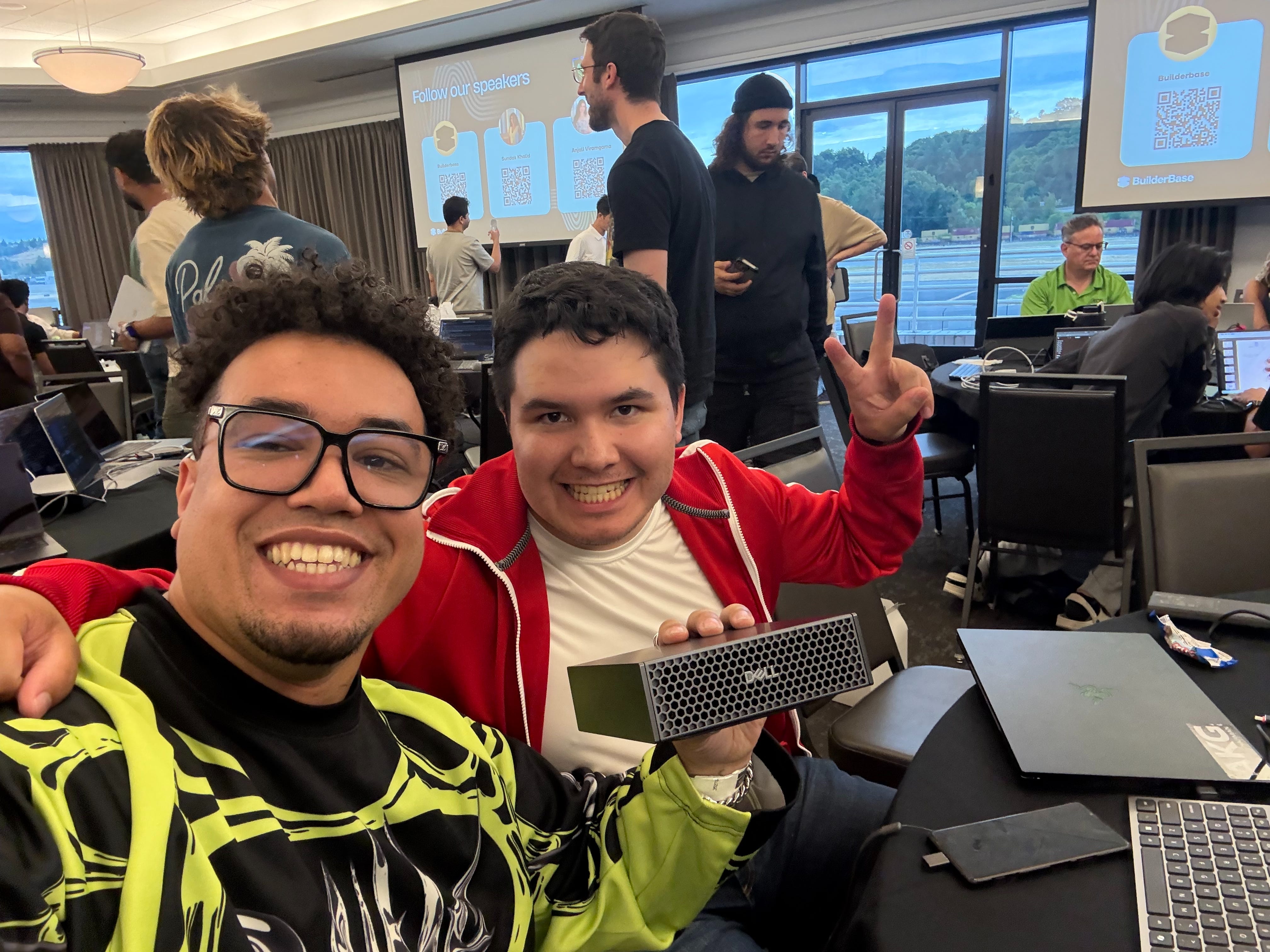
Even cooler… something special must be happening in our industry if a hundred people, ranging from college students to seasoned professionals, decided to give up their Sunday to build business software for the love of the game.
But does this AI-induced FOMO mean you need to be jumping onto the local AI hardware bandwagon as well?
In short… no. For most people, this is a massive waste of money (GPUs cost about the same as used cars). But everyone I know, including myself, who has put serious money into this space, sees the same major opportunity opening up and is positioning themselves to be first movers.
We're still very early for local AI, but it's wild that by the end of a hackathon, I had a team of AI agents running on that single GPU on my desk. Furthermore, that agentic team took a real issue from my open-source project, turned it into a tested pull request, and then attempted to fix its own failing build automatically. In this article, I highlight my own experiences and reasons why I'm all in on local AI, as well as share my current stack and how you can get started with serving local AI models.
Hackathon Case Study: AI Software Factories
So what did my hackathon team decide to build? The coveted AI factory to build software from a spec alone, as described by NVIDIA’s CEO Jensen Huang. While ambitious, our goal was to prove if the following end-to-end run is even possible:
Can we get a local AI model deployed to the GB10 and access it from our personal laptops?
Can we deploy a local agentic harness to coordinate a team of AI agents to run the entire software development lifecycle?
Can this local AI agentic team take a real-world issue from my open-source project, Petri, and create a PR with a code change?
This first PR will likely fail my CI/CD workflow; can it automatically detect the failure, attempt to resolve the issue, and push a new commit to the PR with a fix?
Will I accept this fully AI-generated code and have this change deployed to PyPI?
Looking at this list, I assumed the model system prompts for each agent would be the hardest part of our day. It was not. But we’ll get there, and at the end I’ll come back to all five of these questions as a hackathon scorecard.
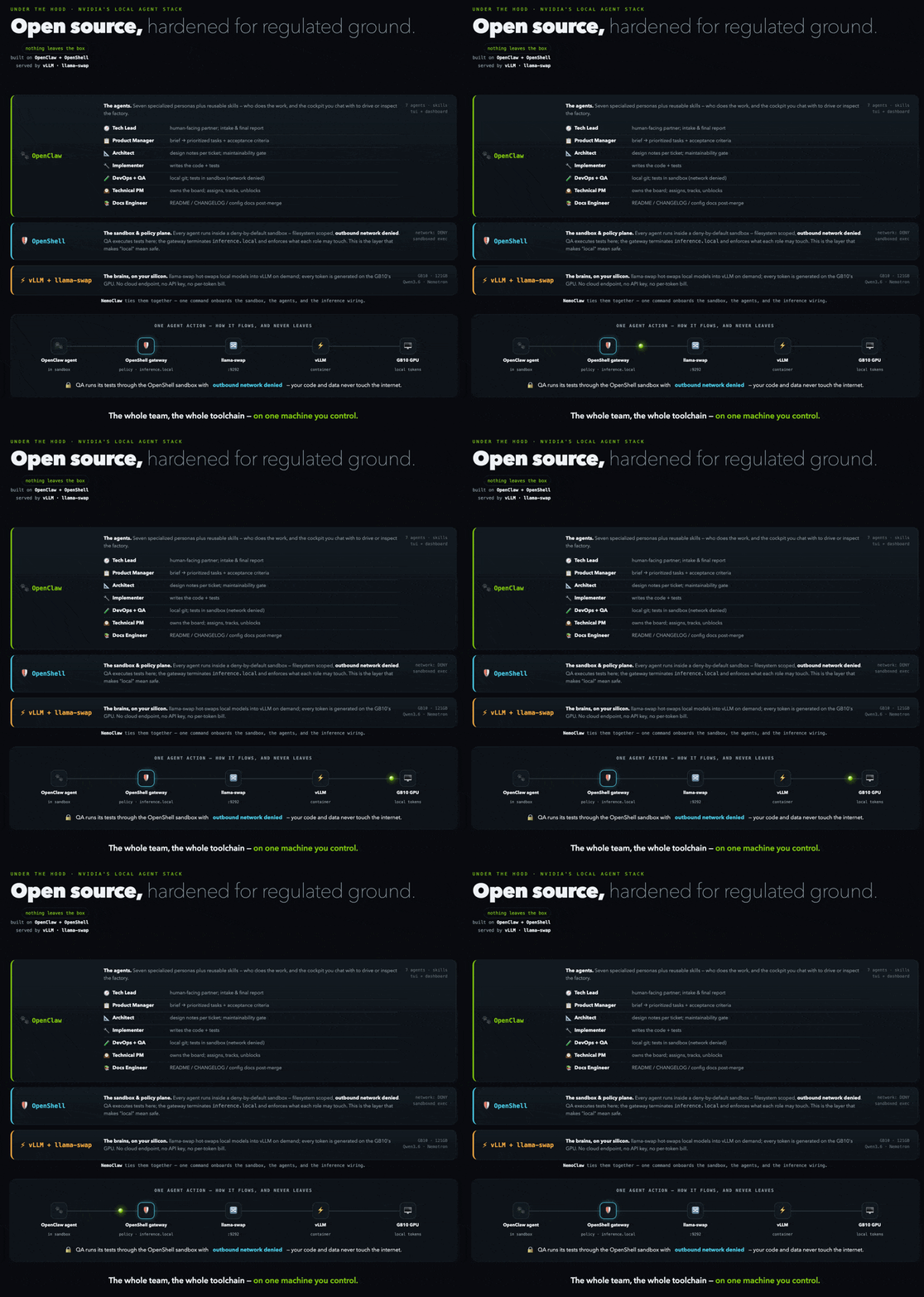
Furthermore, in addition to all LLM calls being local, the hackathon rules also required us to use OpenClaw (AI harness) and OpenShell (governance, sandbox, and security). The GIFs below (generated via Claude Fable 5) summarize how this all works together.
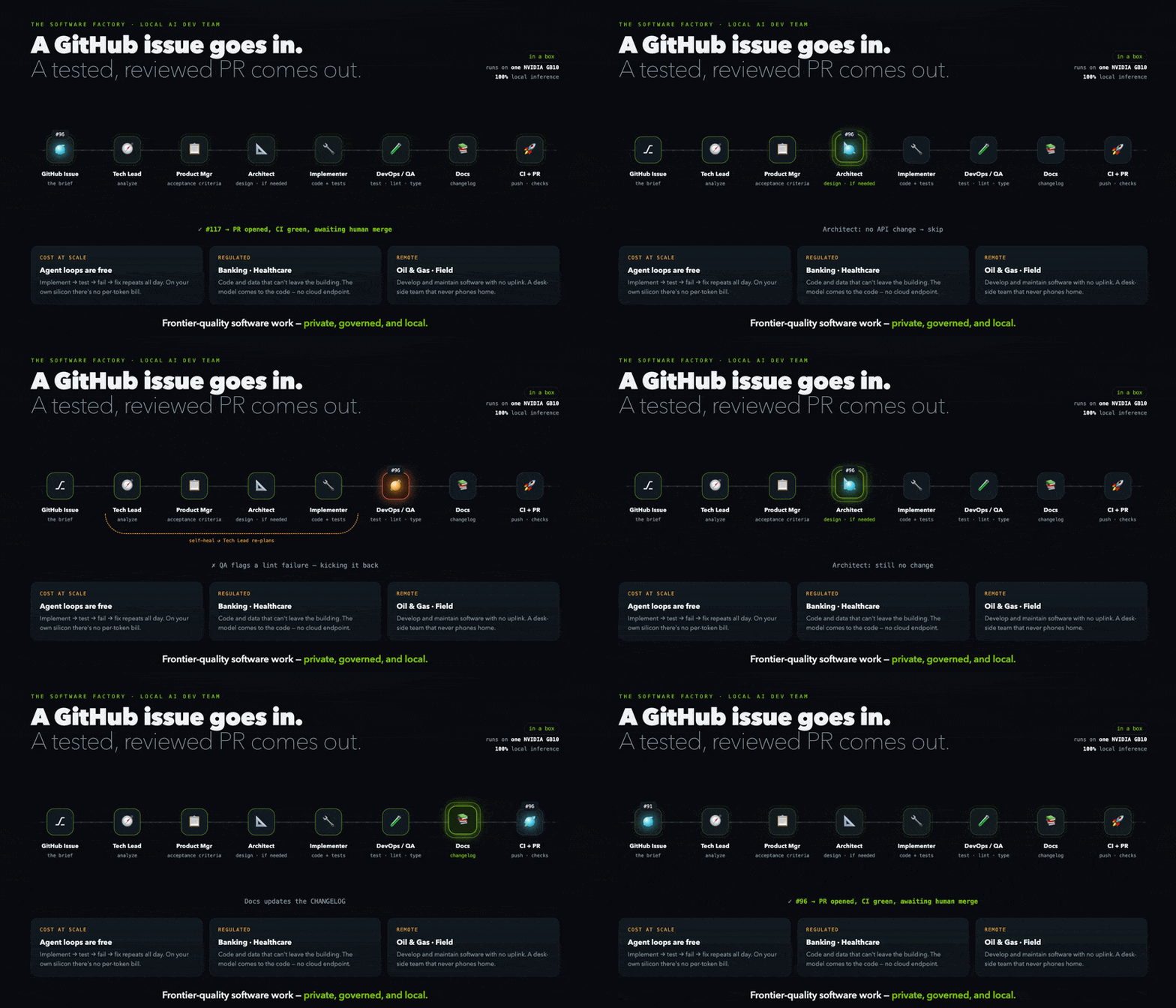
So how can you stand up this build yourself? I’ll walk you through each of the above questions and even share the pull request this local AI agent submitted!
Serving Local AI Models
Thankfully, this wasn’t my first rodeo deploying local AI on NVIDIA GPUs, and thus we used a similar setup to my own local LLM server for the build.
From the pile of open weights I’d downloaded the night before, we ultimately decided to go with Qwen3.6-27B as it balanced performance with model speed on the hardware we were given for the day.
Hardware
This is going to be the main gate preventing most people from even considering local AI. Full stop, this is expensive, and you are most likely better off using a neo-cloud to run open-weight AI models on rented GPUs. Shane Morris’s article, You’re going to break this thing that costs like $9,000. I hope you made peace with your God before you did, perfectly sums up the current state of the space and who should and shouldn’t pursue local AI hardware.
That’s where we are. That’s this whole scene, right now. “Own your model” is going to be a weird hobbyist phase for a while, until the people out on the bleeding edge sand down all the rough spots and hand it to everyone else in a box that just works…
I broke a working system because I was playing with it, which is why you can’t (and shouldn’t) do this unless you’re committed to learning a lot while you fail…
So if that sounds fun to you: Cool. Genuinely. Have at it. Tinker. Break it. Fix it at 2am. If this gives you the same joy and frustration it gives me, dope. Go do it. 1 in 1,000 people will like this process.
If the above still doesn’t deter you, then you are about to have the time of your life genuinely building, failing, and learning on the bleeding edge. I highly suggest first using rented cloud GPUs to understand your use case and whether you even want to play with these models. Here are some questions you should ask yourself?
What level of inference do you need for your tasks (e.g., Qwen 3.6 barely fits on my 64GB M1 Max MacBook Pro; Kimi 3 with frontier capabilities requires full server racks of 32 separate H100 GPUs, with one of those GPUs costing ~$30k each)?
Are you just using it for a workstation and R&D, or are you planning to serve models to multiple people concurrently with a cluster of GPUs?
Do your tasks require high inference (e.g., hard scientific questions), medium inference for long-running tasks (e.g., AI evaluations), or low inference at high concurrency (e.g., agentic swarms)?
Do you plan to run only local models, or are you also trying to fine-tune AI models on your own machine?
What security and governance requirements do you have for the work you are doing?
For my own business, I landed on a single-node RTX PRO 6000 Blackwell workstation pictured below, with the intention of:
A) Doing R&D on serving local AI and running agentic tasks on it for highly regulated industries that can’t use frontier models (e.g., healthcare, law, etc.)
B) For the RTX Pro 6000 specifically, fine-tune small models for specific tasks such as NVIDIA’s nemotron models.
That’s my main thesis right now, and where I think local AI will be huge—with all of my free time running experiments to fully understand this emerging opportunity.
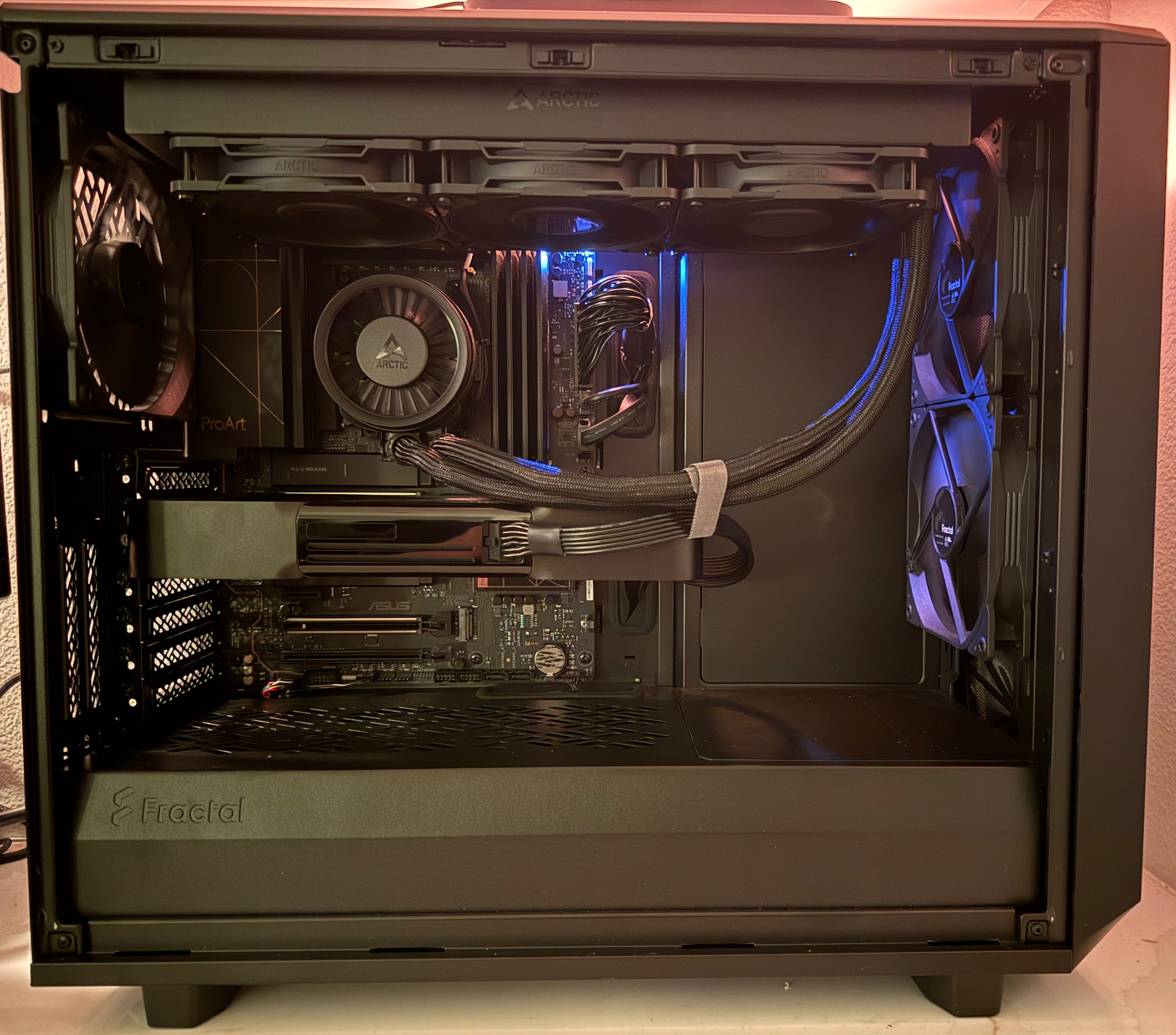
I want to give a huge shoutout to Patrick, owner of Custom Lux PCs, who did my build pictured above and helped me with this huge investment into my business. Not only was he flexible as I secured capital, he actively helped me understand my various tradeoffs and even pushed me to a less expensive build for my exact use case. He will take good care of you.
Open Weights + vLLM + llama-swap
Once you have settled on hardware, you unfortunately can’t just download a model off Hugging Face and start using AI. That luxury is reserved for brew install --cask claude-code and why I pay $200/month for a Max plan. Oh, my sweet summer child, you have to:
Determine which model works on your hardware across the litany of configurations, fine-tunes, and quantizations that all have their own quirks for every machine (this is a mix of art and science).
Get the weights loaded onto the GPU (i.e., “pre-fill” phase) and hope you set the right model configuration flags for things like context size, tool use, and other model-specific quirks (I will use this word a lot).
Manage the KV Cache for the “decode” phase of output generation and keep track of prompt history.
Provide a way for your hardware to either maintain multiple models (if your VRAM permits) or manage swapping model weights on your GPU.
Make sure your hardware doesn’t spin towards self-destruction given your selected acceptable quirks.
All of this is exactly why I decided to go with a single GPU build, as managing the above gets exponentially harder once you have to use multiple GPUs in this crazy local AI memory dance. I could have had way more VRAM at a fraction of the price—like the badass CTO at my day job who amassed a bunch of used GPUs and is now running multiple Qwen 3.6 models on 512GB of VRAM—but I just knew my use case didn’t warrant this increase in complexity. I’m more interested in building local and secure agentic applications for highly regulated industries… I don’t want to become a hardware engineer.
With all that said, over the past few years we have seen massive open-source advancements that have made this move from deep-tech magic to something approachable, if you don’t mind mucking around in the terminal. In particular, the vLLM project from researchers at the Sky Computing Lab at UC Berkeley (now part of the Linux Foundation) has been a game changer and is the go-to LLM inference and serving engine for production builds.
Note: Using a personal LLM serving engine, like Ollama or LM Studio, is an excellent first step to dip your toes into this. I highly recommend both, and I often use them on my laptop to try out models quickly. Again, I’m doing R&D for production agentic workflows, so vLLM is my main choice… but it doesn’t need to be yours!
Finally, I couple vLLM with this cool project, llama-swap, and now I can easily hot-swap models on demand. This space is moving so fast, but even more exhilarating is seeing all these friction points of deploying local AI are being solved by the open-source community.
Agentic Harnesses
Great, you have hardware and an LLM serving engine all ready to go! We now start getting into more familiar territory if you have spent any amount of time with coding agents like Claude Code, Codex, or Cursor. I have covered agentic harness in my earlier article linked below, so I won’t re-hash it… but things change when you move to local hardware.

The whole point of using local hardware is to decouple from the frontier AI labs and, more importantly, have sovereignty over your models, data, and IP. While Claude Code is the best harness I’ve ever used (as of today), using such creates a new dependency that won’t fly in regulated and/or sensitive environments (my specific use case). With that said, out of the open-source options, I am still trying to figure out the best setup, and I’m actively seeking advice from the community on this.
So far, I have ruled out OpenCode as its harness system prompts are way too heavy for local models, and in my comparison of using Qwen 3.6 via Claude Code and OpenCode for complex coding tasks, I was left severely unimpressed despite wanting to like OpenCode (this may very well be a user error). Thus, I’m now evaluating the two following options:
NemoClaw
Essentially NVIDIA’s response to making OpenClaw safe enough to run in an enterprise setting.
Under the hood, it’s OpenShell for sandboxing and governance plus agents like OpenClaw or Hermes agent.
Pi Agent Harness
The most bare-bones harness, designed as a blank slate that anyone can build on top of for their specific use case.
Being an open slate makes it perfect for hyper-specialized harnesses that are not encumbered by unneeded system prompts like OpenCode.
Right now I’m landing on Pi harness for specific agentic workflows (I’m actively implementing it into Petri) and NemoClaw + Herms Agent for my overall agentic operating system. Expect an article on this as I learn more from my own builds!
Tailscale + AI Gateways
At this point, you have everything you need to run AI on local hardware— which is pretty damn cool! But we can make it even better…
While my AI is local, I don’t need (nor want) to be local myself. This is why I use Tailscale to easily manage access to my LLM server from all of my devices, including my phone. On top of making my hardware accessible from anywhere, it also gives me end-to-end encryption, 2FA, and the ability to share access to my machine with collaborators.
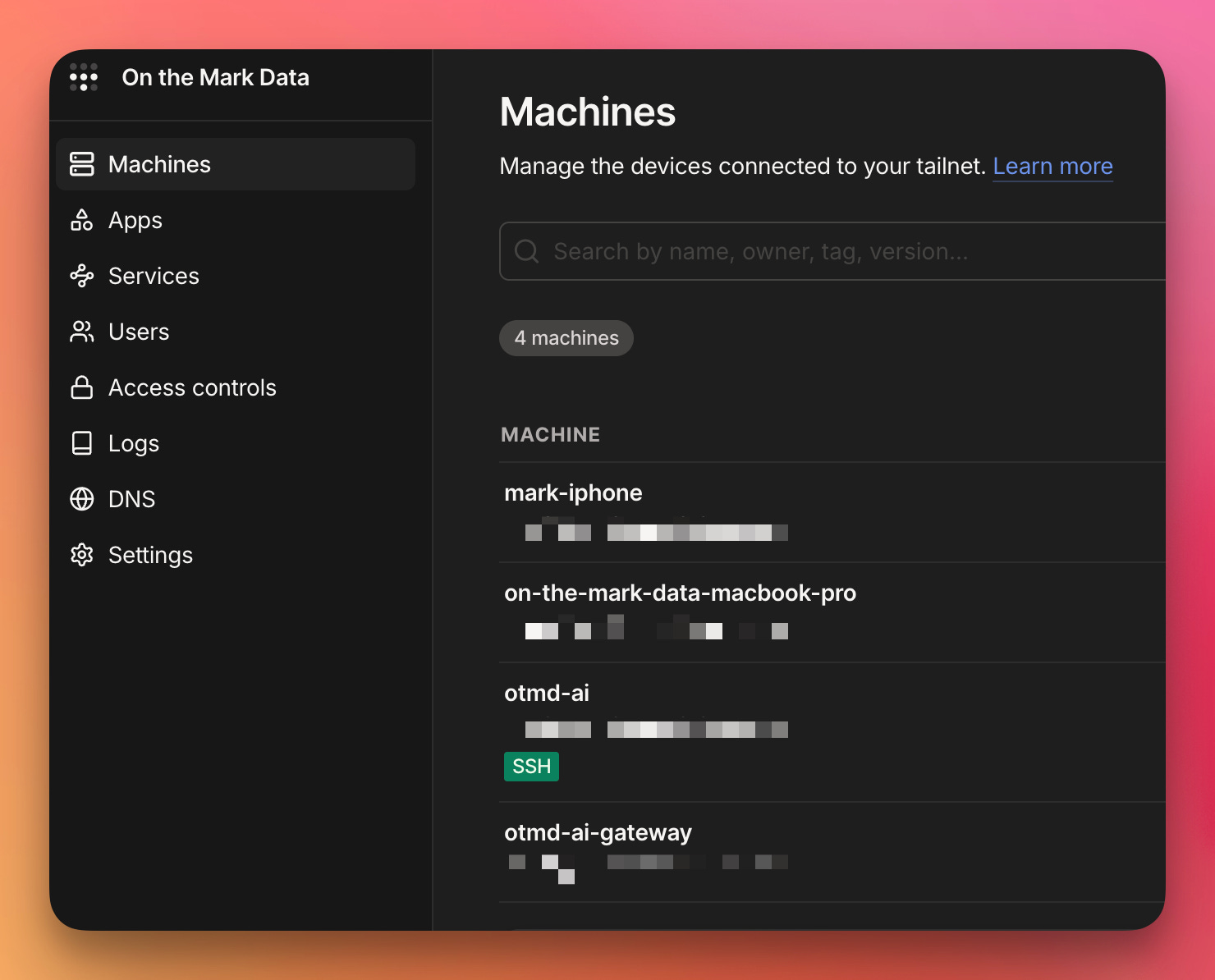
For example, I have an executive assistant who I want using AI for many of our workflows. But my business doesn't have enough seats to qualify for a business account with Anthropic, which is how you get Anthropic’s Commercial Terms of Service and the Data Processing Addendum signed for data protections. Without those protections in place, my sensitive data isn't going into a frontier lab's products, so it stays on hardware we control. Thus, we are working towards upskilling her in AI with these DeepLearning.ai courses and giving her access to my LLM server to create her own agentic workflows to support my business.
In particular, I can’t expect my executive assistant to jump into the terminal and easily run AI workflows. I need to abstract away as much as possible so all she has to worry about is logging in with my business’s email domain and using a chat window. It’s on me to ensure the proper guardrails are in place (e.g., accepted tools, safe AI models, what domains the agent can touch, etc.). An AI gateway makes this possible, where I can have all LLM calls go through a central point that I can observe, manage, and ensure the LLM doesn’t behave in misaligned ways.
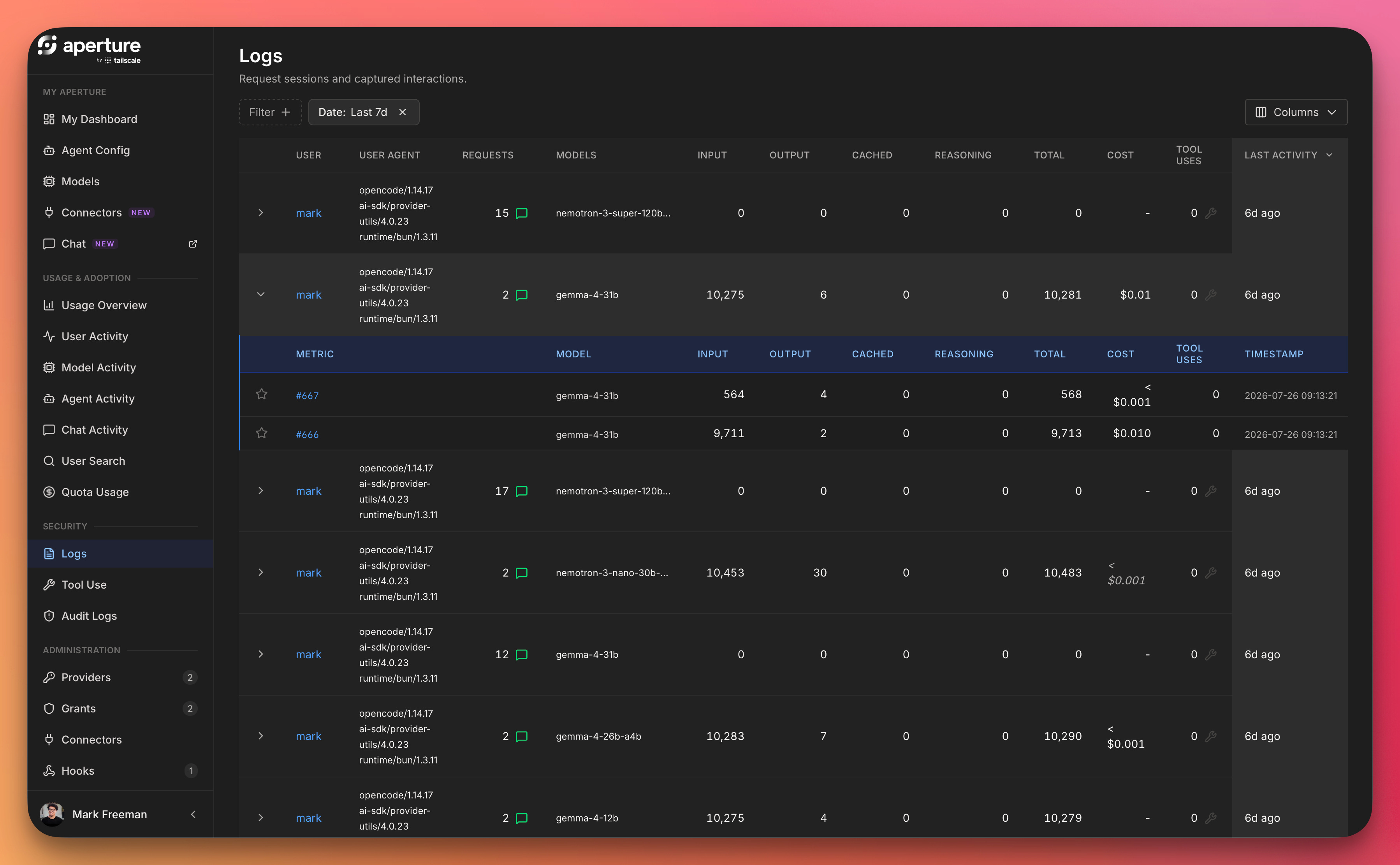
To be clear, this is 100% overkill for most people playing around with local AI (including my work), but it provides me a lot of insight into what friction points will emerge if a company seeks to responsibly use local AI hardware.
Putting It All Together
Nearly everything mentioned above (e.g., vLLM, OpenShell, etc.) had to be set up by us at the hackathon. It was fun, but we still hit a bunch of issues!
Remember that 11 pm model-downloading session? Turns out slow downloads were the least of the venue network’s problems. The museum had a super intense firewall and almost no one could properly SSH into their Dell GB10 machines! Thankfully, the hackathon organizers found a workaround that worked on my teammate Daniel’s machine but not my Mac. As the hackathon gods laughed at me, Daniel’s debugging found that our specific GB10 (out of 40) could ping all computers except mine, and that my Mac could find other GB10s except ours. ~laughing intensifies~
Real quick… Daniel is a new grad who is looking for his first job in software, and after watching him methodically isolate that cursed networking bug (on top of working with him all day), I can highly recommend him. Not only is he a promising engineer, but he was an absolute joy to work with and helped us overcome some of our main project blockers.
If you are actively hiring for a new grad software engineer in the Seattle area or remote, please reach out to him on LinkedIn!
The workaround we found three hours later? We turned my phone into a hotspot, connected the GB10 and my Mac to that hotspot, and then added the GB10 to my Tailscale network so I could finally SSH into it with my Mac.
With SSH finally working, we set up the infra, uploaded the machine with our OpenClaw agent configurations, pointed the AI software factory at a real issue from Petri’s backlog, and let it rip. The agents broke the issue down, wrote the code and tests, and opened a PR against my repo… which promptly failed my CI/CD workflow (shoutout linting). Then, with zero input from us, the factory read the failure and pushed a fresh commit to its own PR. All of this was happening while we recorded our quick scrappy demo for the hackathon judges (submitted with only a few minutes to spare):
As for the code our AI software factory produced? I don’t plan to merge it into my project, but the whole hackathon showed me that it’s possible with local hardware and open models. That’s enough signal for me to commit another weekend iterating on this idea and hopefully make the code public.
So, scoring our five questions from the top of the article:
✅ Local model on the GB10, accessible from our laptops? Yes (with a three-hour detour courtesy of the museum’s firewall).
✅ Local agentic harness running the entire software development lifecycle? Yes.
✅ Real issue from Petri turned into a PR with a code change? Yes — here’s the pull request.
✅ Automatically detect the CI/CD failure and push a fix? Yes. Watching this one happen was the highlight of my day.
❌ Will I accept this fully AI-generated code and deploy it to PyPI? No.
I call this a massive win doing all of this in about ~12 hours!
Closing Thoughts
Wow… we are living in the future. I’m not trying to stoke the FOMO flames to convince you to purchase what is essentially a used Honda Civic in the form of a GPU, but this is the most fun I’ve had building in years. With that said, the technology is still not there for most consumers and businesses to use local AI hardware… but you can see the momentum of where things are going and the impact it will have on so many industries.
Are you building with local AI? I would love to hear from you and learn!
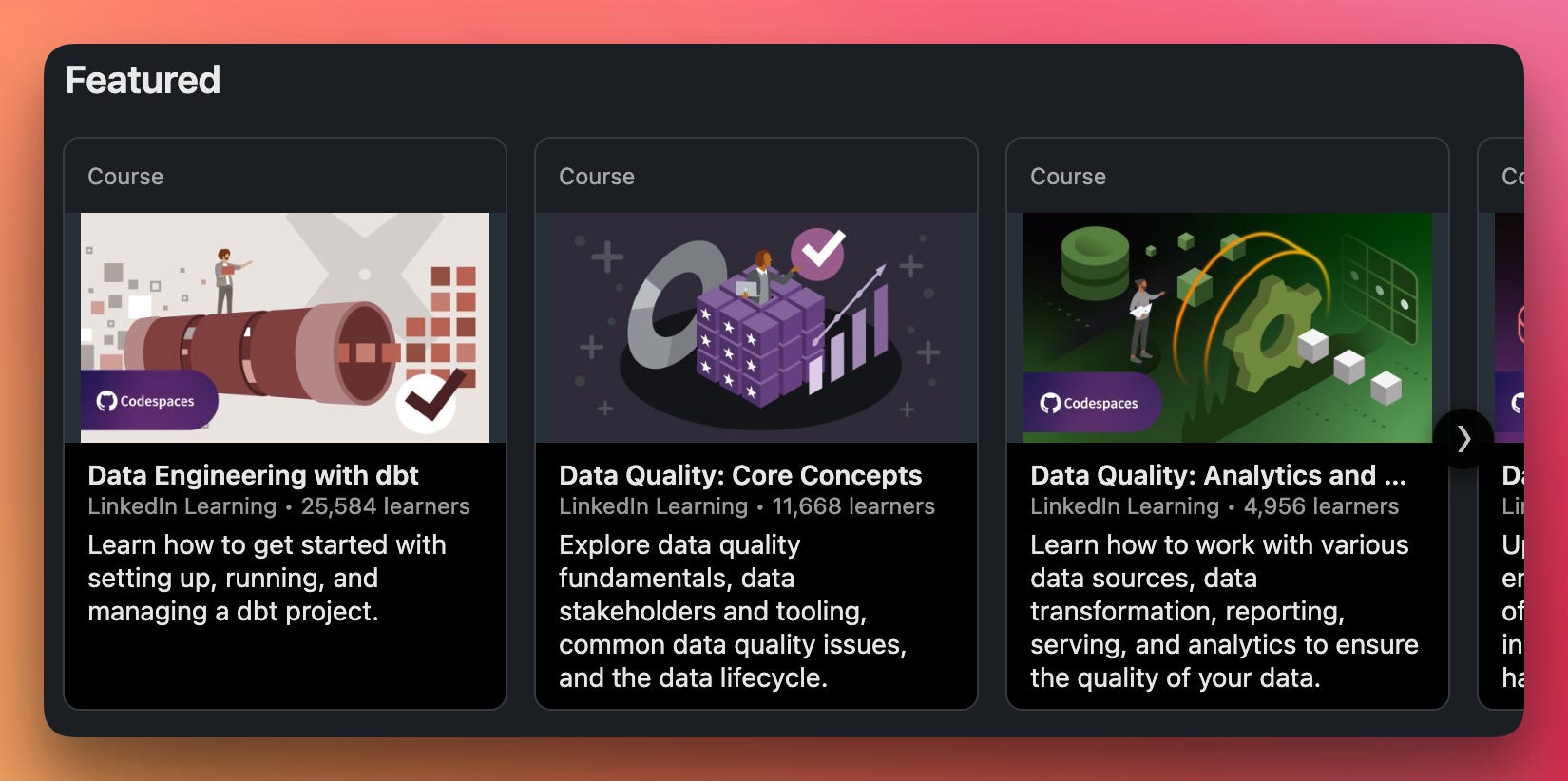
Found my content interesting and want to learn more from me? I have four courses on LinkedIn Learning teaching you the fundamentals of data quality and data engineering best practices. With over 40K+ students and hundreds of five-star reviews for my hands-on coding courses, I’m confident you will learn some valuable data skills and have fun while doing it!
Feel free to check them out here:
Please note that I was just a participant in this hackathon and was not sponsored.